
Alight Motion VS VN Video Editor is one of the most searched comparisons among mobile content creators, and it’s easy to see why. Whether you’re creating TikTok videos, Instagram Reels, YouTube Shorts, or cinematic edits, choosing the right editing app can significantly improve both your workflow and the quality of your content.
Imagine two friends starting their content creation journey on the same day. One dreams of making eye-catching anime edits filled with smooth transitions and animated text, while the other simply wants to edit travel vlogs and upload them to YouTube without spending hours learning complicated tools. Although both need a video editor, they have completely different requirements. That’s exactly where the Alight Motion VS VN Video Editor comparison becomes important.
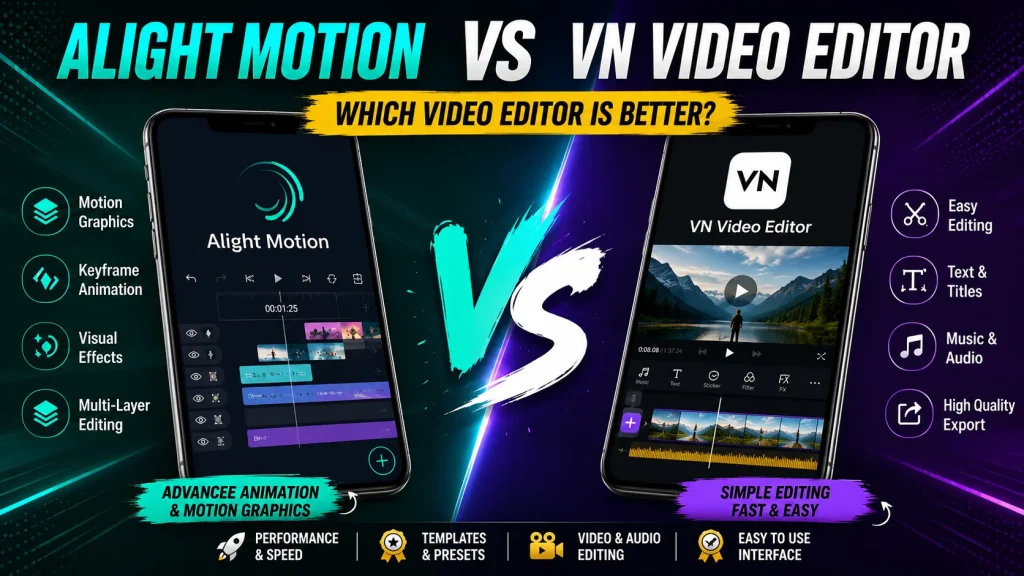
Both apps are among the most popular mobile video editors available today, but they serve different purposes. Alight Motion focuses on advanced motion graphics and animation, while VN Video Editor emphasizes simplicity, speed, and professional-looking video editing. In this detailed comparison, you’ll discover which app suits your editing style, skill level, and content goals.
User Interface and Ease of Use
Alight Motion offers a professional editing workspace packed with powerful tools. As soon as you open the app, you’ll see multiple layers, keyframe controls, animation options, blending modes, and visual effects. While this gives experienced creators tremendous creative freedom, beginners may initially find the interface overwhelming. Learning how everything works requires patience, but once you understand the layout, you’ll appreciate the level of control it provides.
VN Video Editor takes the opposite approach. Its interface is clean, minimal, and designed with simplicity in mind. Essential editing tools like trimming, splitting, cropping, transitions, and text are easy to locate, allowing new users to start editing almost immediately. Even someone who has never edited a video before can produce a polished result within minutes.
Motion Graphics and Animation
Unlike most mobile editing apps, Alight Motion includes professional animation tools that were once only available in desktop software. The app supports advanced keyframe animation, vector graphics, motion blur, camera movement, blending modes, visual effects, and customizable animation curves. These features allow creators to build smooth transitions, animated intros, logo reveals, lyric videos, and cinematic social media edits directly on their smartphones.
VN Video Editor also supports animations, but they’re designed for convenience rather than complexity. Users can animate text, stickers, images, and video clips using built-in presets. While these animations look clean and professional, they don’t offer the same level of customization available in Alight Motion.
Also Check: Top 5 Tools to Save Battery Life on Android Smartphones
Video Editing Features Comparison
VN Video Editor focuses on efficiency. Importing clips, arranging them on the timeline, trimming unwanted sections, adding transitions, inserting subtitles, and applying filters all feel fast and intuitive. The editing process is streamlined, making it an excellent choice for creators who publish content regularly.
Alight Motion includes nearly all of the same editing features but adds a deeper level of customization. Instead of relying solely on preset transitions and effects, users can build their own animations using keyframes. This flexibility allows editors to create unique visual styles that stand out from standard social media edits.
Both apps support essential editing features, including:
- Multi-layer editing
- Video trimming and splitting
- Speed adjustments
- Reverse playback
- Text overlays
- Filters and color correction
- Transition effects
- Cropping and rotating videos
For everyday content creation, VN Video Editor offers a faster workflow. For advanced projects where every animation needs to be customized, Alight Motion delivers more creative possibilities.
Audio Editing Comparison
VN Video Editor offers a straightforward audio editing experience that’s perfect for everyday creators. You can add multiple music tracks, import voiceovers, extract audio from videos, adjust volume levels, apply fade-in and fade-out effects, and sync music with your footage in just a few taps. The interface is intuitive, allowing beginners to edit audio without any technical knowledge.
Alight Motion also supports multiple audio tracks and provides greater precision when syncing sound with animations. Because the app is built around keyframe animation, creators can match text, effects, and visual elements perfectly with music beats. This makes it an excellent choice for creators producing cinematic edits, AMVs, gaming montages, or beat-sync videos.
Templates and Presets
Alight Motion has built one of the largest communities for sharing presets and project files. Thousands of creators upload free and premium templates that include cinematic transitions, glowing text effects, logo animations, shake effects, and beat-sync presets. If you’ve ever downloaded an Alight Motion project from YouTube or Telegram, you’ve already experienced the strength of its community.
VN Video Editor takes a simpler approach. The app includes a variety of built-in transitions, filters, titles, and effects that are ready to use immediately. Instead of spending time customizing complex templates, users can apply professional-looking presets with just a few taps.
Performance and Speed
VN Video Editor is highly optimized for both Android and iOS devices. Even on mid-range smartphones, the app generally runs smoothly while editing Full HD videos. Timeline playback remains responsive, previews load quickly, and export times are relatively fast. This makes VN an excellent choice for creators who upload videos frequently and need a reliable editing workflow.
Alight Motion demands more from your device because it processes advanced animations, multiple layers, visual effects, and keyframes simultaneously. On older smartphones, complex projects may experience lag during editing, especially when several effects are applied. Exporting videos also takes longer compared to VN Video Editor.
Alight Motion VS VN Video Editor: Quick Comparison
| Feature | Alight Motion | VN Video Editor |
|---|---|---|
| Ease of Use | Moderate learning curve | Beginner-friendly |
| Motion Graphics | Excellent | Basic |
| Keyframe Animation | Advanced | Limited |
| Video Editing | Highly customizable | Fast and simple |
| Audio Editing | Great for beat-sync projects | Easy and efficient |
| Templates | Huge preset community | Built-in ready-to-use templates |
| Performance | Demands more powerful hardware | Smooth on most smartphones |
| Export Speed | Moderate | Faster |
| Best For | Motion designers and advanced editors | Beginners and content creators |
| Learning Curve | Medium to High | Low |
My Recommendations
After thoroughly comparing Alight Motion VS VN Video Editor, it’s clear that neither app is universally better. The right choice depends entirely on your editing needs and experience level.
Choose Alight Motion if you:
- Create motion graphics or animated content.
- Need advanced keyframe animation.
- Produce cinematic edits or gaming montages.
- Want maximum creative control over every effect.
Choose VN Video Editor if you:
- Are new to video editing.
- Create TikTok videos, Instagram Reels, or YouTube Shorts regularly.
- Want a clean interface with a fast workflow.
- Prefer quick exports without spending hours learning the app.
Final Verdict
The Alight Motion VS VN Video Editor debate doesn’t have a one-size-fits-all answer because both apps excel in different areas.
If your goal is to create professional animations, motion graphics, lyric videos, or highly customized edits, Alight Motion is undoubtedly the stronger choice. Its advanced animation engine and keyframe system provide creative possibilities that few mobile editing apps can match.
However, if you’re looking for an editor that is fast, intuitive, and capable of producing high-quality videos without a steep learning curve, VN Video Editor is hard to beat. It’s an excellent option for beginners, social media creators, vloggers, and anyone who wants to edit content efficiently.
For many creators, the smartest solution isn’t choosing one app over the other. Using VN Video Editor for basic editing and Alight Motion for advanced effects creates a powerful mobile editing workflow that combines speed with professional-quality results.
Frequently Asked Questions
Is Alight Motion better than VN Video Editor?
Alight Motion is better for motion graphics, advanced animations, and keyframe editing. VN Video Editor is better for quick video editing, simple workflows, and beginner-friendly content creation.
Which app is easier for beginners?
VN Video Editor is much easier for beginners thanks to its clean interface and intuitive editing tools. Most users can start creating professional-looking videos without spending much time learning the app.
Does VN Video Editor have a watermark?
No. VN Video Editor allows users to export videos without adding a permanent watermark in most standard editing workflows, making it a popular choice for social media creators.
Can Alight Motion edit YouTube videos?
Yes. Alight Motion can edit YouTube videos, YouTube Shorts, gaming videos, tutorials, and cinematic projects. Its advanced animation tools are especially useful for intros, titles, and visual effects.
Which app is better for TikTok editing?
VN Video Editor is generally the better choice for everyday TikTok editing because it offers faster editing, quick transitions, and rapid exports. However, creators who produce highly stylized TikTok edits with advanced animations often prefer Alight Motion.
Is Alight Motion free?
Yes. Alight Motion offers a free version that includes many powerful editing features. However, premium effects, advanced tools, and certain export options require a paid subscription.
Is VN Video Editor completely free?
Yes, VN Video Editor is largely free to use and provides most of its core editing features without requiring a subscription, making it one of the best free mobile video editing apps available.
Which app exports higher-quality videos?
Both apps support high-quality exports, including Full HD and higher resolutions on supported devices. Alight Motion offers more advanced export settings, while VN Video Editor provides a faster and more user-friendly export process.
Can I use both apps together?
Absolutely. Many creators edit their footage in VN Video Editor first and then import the finished video into Alight Motion to add motion graphics, animations, and professional visual effects.
Which app is better for professional creators?
Professional creators who specialize in animation, branding, or cinematic edits will benefit more from Alight Motion. Meanwhile, professionals producing daily social media content often prefer VN Video Editor because it delivers faster results without sacrificing quality.